
Every time I opened the new Outlook, an Adobe ad sat on top of the inbox—Photoshop, Acrobat, rotating, all in Japanese. My first instinct, like most people: switch back to classic Outlook, the one without ads.
A quick probe of the machine showed that step is a dead end.
Switch to classic? It’s not even installed
I ran a PowerShell snippet from WSL to map the machine. The verdict was blunt:
- Office is Home & Student—that SKU ships only Word/Excel/PPT, no Outlook;
- The classic
OUTLOOK.EXEdoesn’t exist at the standard path; - The ad-bearing app I’m using is Microsoft’s standalone free “New Outlook for Windows” (Appx package
Microsoft.OutlookForWindows).
In other words, the “switch back to classic” toggle simply doesn’t appear on this machine—there’s no classic to switch to. Getting one means paying for an Outlook-bearing Office or a Microsoft 365 sub. Not a free fix.
Where the ad comes from: a standalone domain
The banner ad in the new Outlook’s inbox isn’t pushed by the mail server; the app fetches it from a standalone domain, outlookads.live.com. Which means one thing: if this machine can’t reach that domain, the ad can’t load.
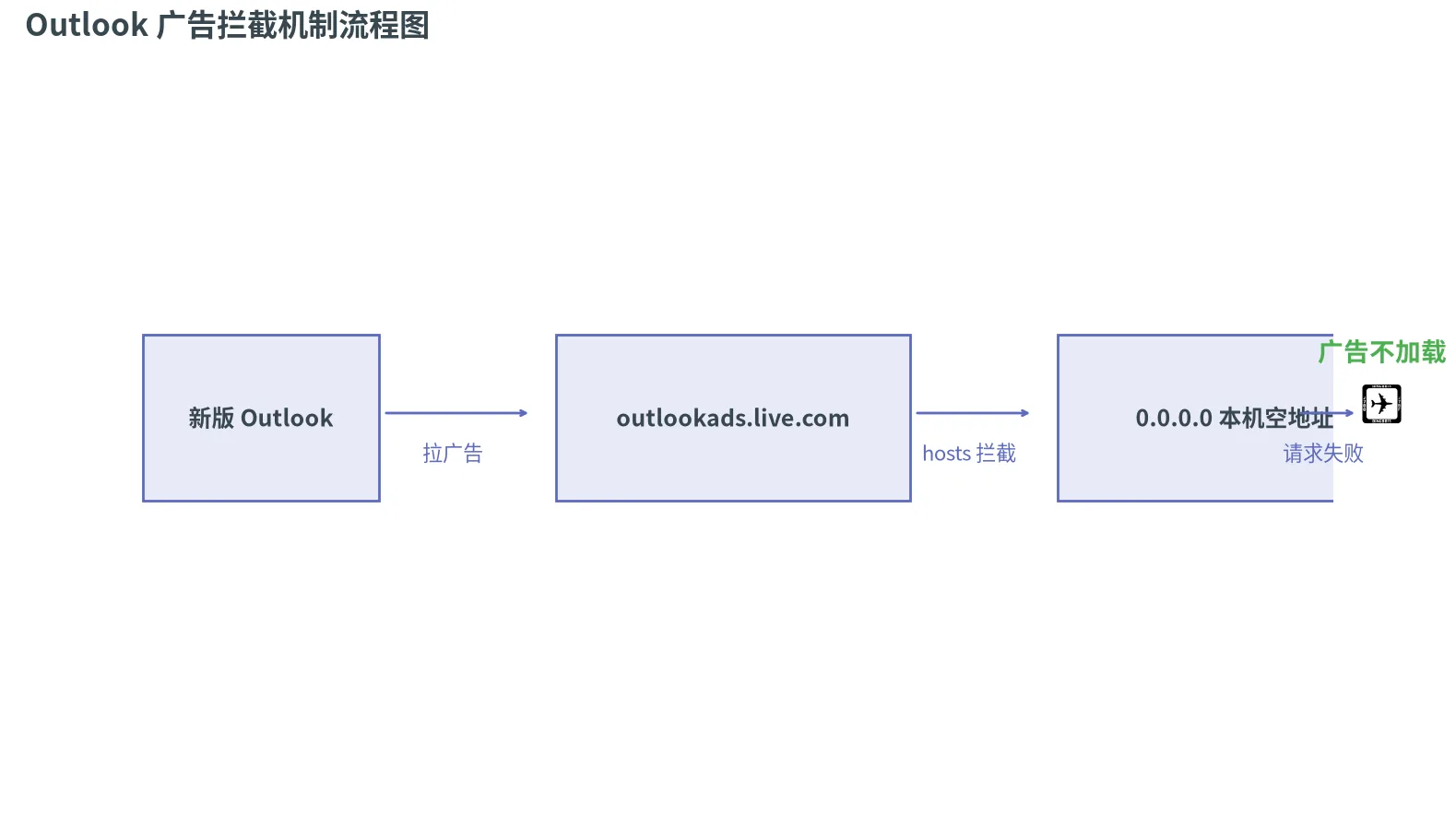
The Windows hosts file does exactly this—system-level DNS redirect, applies to every process, including the new Outlook’s WebView.
One line in hosts, ad gone
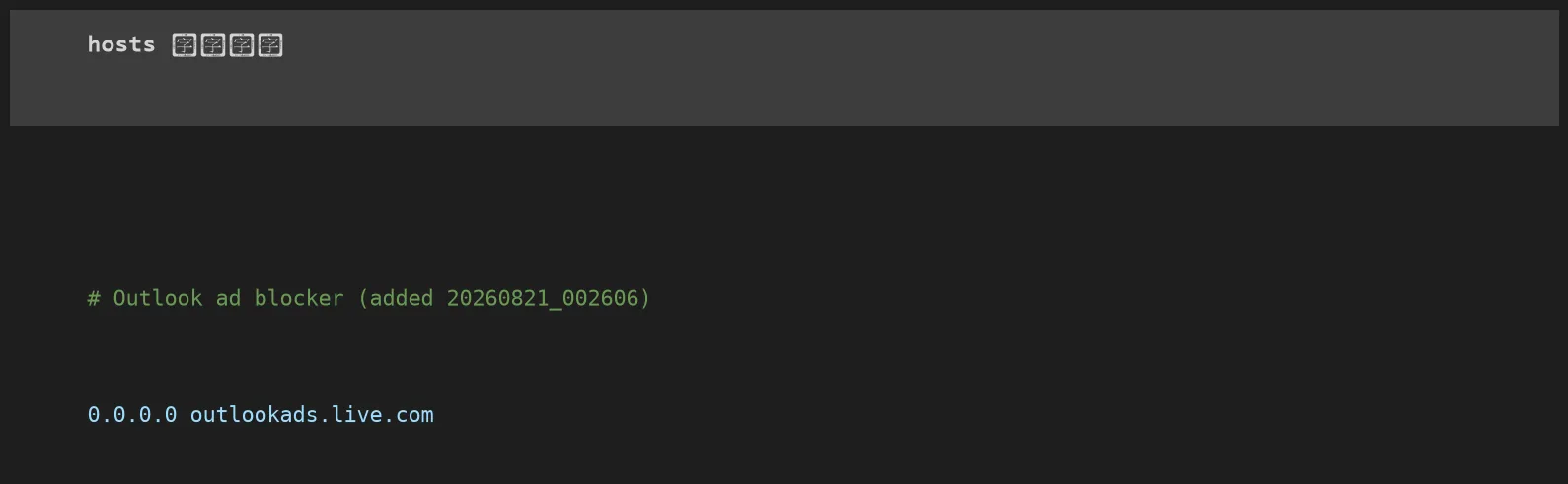
The hosts file lives at C:\Windows\System32\drivers\etc\hosts; editing it needs admin. I added this one line:
| |
Pointing the ad domain at 0.0.0.0 (a local null address) means Outlook’s ad fetch can’t connect, so the ad slot stays empty. After editing I did three things: back up the original hosts (hosts.bak_*), flush the DNS cache (ipconfig /flushdns), restart Outlook.
This isn’t my own invention—there’s a GitHub project dedicated to exactly this, Pyenb/Outlook-desktop-ad-blocker, whose README documents the same manual edit.
Verify: just ping it
Don’t trust the edit on faith—verify. Ping the ad domain:
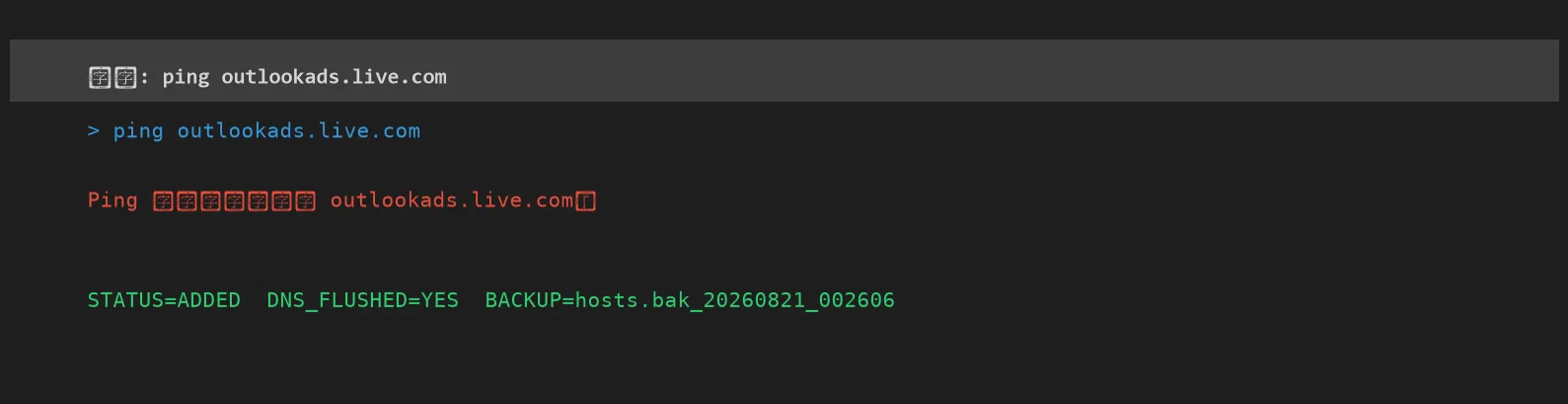
“Could not find host”—the domain no longer resolves to the real ad server. Open Outlook: the Adobe ad is gone.
Three caveats to know
The hosts method is clean, but not omnipotent:
- The ad slot stays as blank space. The ad is gone, but the area remains, just empty, no longer a misclickable ad. That’s the hosts method, not a bug.
- It breaks if Microsoft switches to self-hosted ads. Today ads come from the standalone domain
outlookads.live.com, which hosts blocks; if Microsoft ever serves ads from the mail domain itself, hosts won’t catch it and you’ll need to find the new ad domain. - Only affects the new Outlook desktop app. Classic Outlook never had inbox ads anyway; Outlook.com web ads run a different system this hosts line may not cover.
If hosts isn’t enough: two more routes
- Switch client (free): Thunderbird or Foxmail, connect your Outlook/Hotmail mailbox via IMAP, ad-free. Note Microsoft forced OAuth2 from September 2025—pick OAuth2 as the auth method, log in via the browser popup.
- Subscribe to Microsoft 365 Basic (~$19.99/yr): the cheapest official ad-free tier, removes even self-hosted ads hosts can’t block, plus 100GB cloud storage.
How to undo
Fully reversible. Open hosts as admin, delete those two lines (the # Outlook ad blocker ... comment and 0.0.0.0 outlookads.live.com), save, restart Outlook, ads return. I backed up the original before editing—restoring from the backup works too.
One hosts line—free, reversible, no client swap. For a Home & Student machine with no classic Outlook to fall back to, it’s the cleanest fix there is.