
A more practical AI layer for Firefox

Mozilla is expanding Firefox’s Smart Window, an opt-in AI browsing mode, with features aimed at everyday browsing rather than replacing the browser with a chatbot. The update lets AI chat responses pull from current web information through a partnership with Exa and include source links. Smart Window can also search a user’s browsing history with natural-language prompts, show visual previews of previously visited pages, and suggest tab groups.
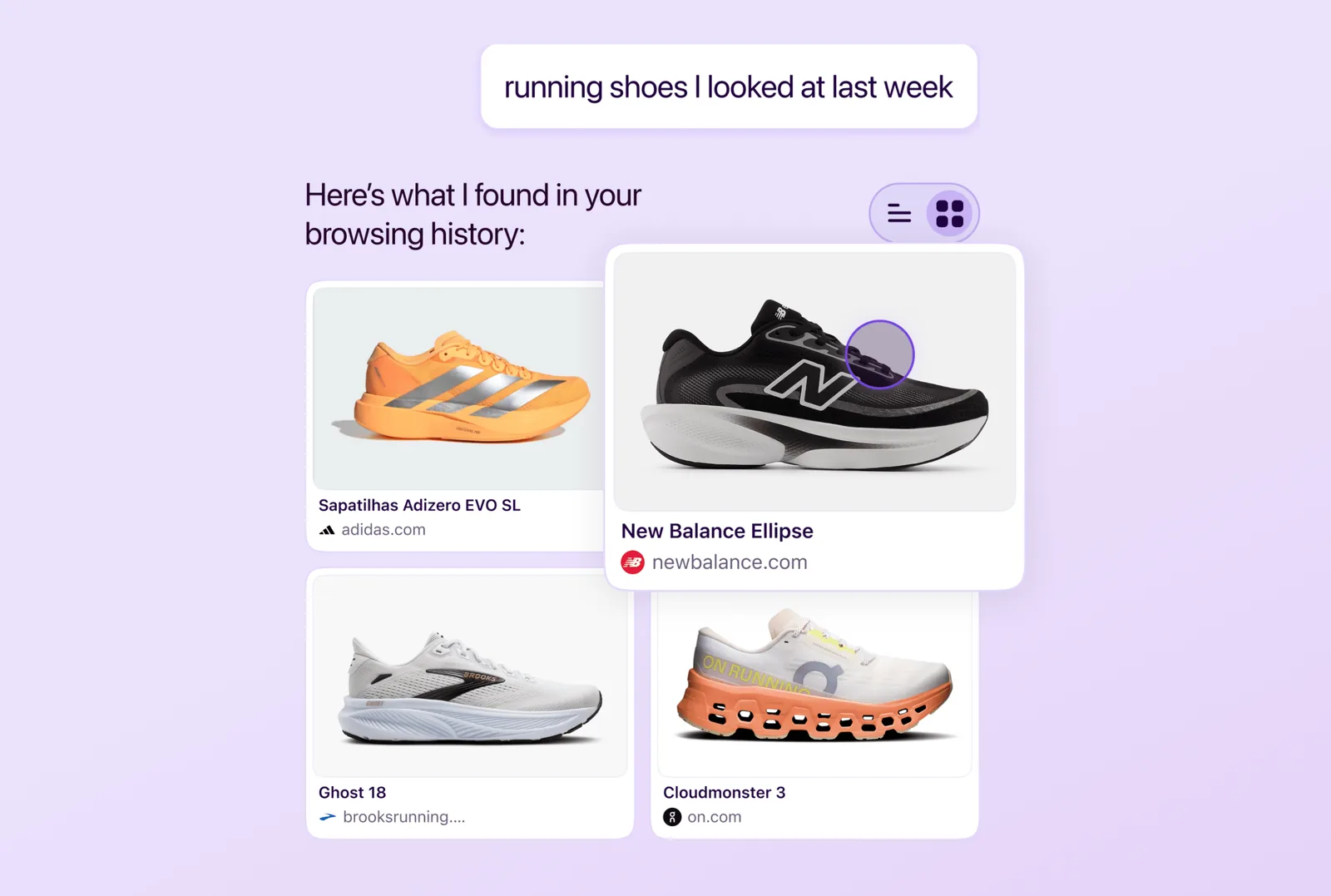
The most notable shift is that Mozilla is applying AI to information people have already encountered. In a live demo described by The Verge, Smart Window responded to a prompt such as looking for running shoes viewed last week by scanning selected history links and surfacing images from those previously visited sites. The feature is designed for moments when a user remembers what was on a page but not the exact site, title, or URL.
What the update adds

The new Smart Window capabilities center on three areas:
- Current web answers with citations: chats can use Exa-powered web information and display source links.
- Natural-language history search: users can describe what they remember and see visual previews from visited pages.
- Tab management: Smart Window can suggest tab groups and identify duplicate tabs that can be closed.
Mozilla says beta users found the feature helpful for maintaining their train of thought while browsing. Future updates are expected to include Chrome-like surfacing of recent browsing journeys and AI-powered autofill for online forms, though Mozilla has not provided a specific schedule for those additions.
Opt-in AI and model choice
Smart Window remains in beta, and Firefox head Ajit Varma told The Verge there is no precise date for when it will leave beta. The feature was first announced last year as AI Window, a Firefox browsing mode that could search open tabs or browser history using natural language.
Mozilla is positioning its approach as user-first and non-prescriptive. Firefox now includes an AI Controls section where users can disable all AI features or choose which ones stay enabled. Smart Window also allows users to choose among several models, including Google’s Gemini 3.1 Flash Lite, OpenAI’s oss-gpt-120b, Alibaba’s Qwen3-235B-A22B-Instruct-2507, or a local AI model.
Varma framed that choice as part of digital sovereignty: users may prefer local models or providers based in their own regions rather than relying only on large technology companies.
Privacy as a product promise

Privacy is central to Mozilla’s pitch. Firefox AI senior staff product manager Steve Truong said the supported third-party model and API arrangements operate under zero-data-retention contracts. According to Mozilla, prompts are processed in memory and are not stored for model training, advertising, or human review. Truong also said Mozilla does not retain user chats on its servers without permission for training, human review, or advertising.
That stance matters because AI browser features may interact with sensitive signals such as browsing history, page context, and user intent. For Smart Window to feel trustworthy, users need clear controls, visible citations, and confidence that model choice is meaningful.
Why it matters
Mozilla’s update suggests a quieter path for AI browsers: improve existing browser tasks instead of forcing users into an AI-first workflow. Searching history, recovering context, grouping tabs, and verifying answers are practical problems that can benefit from AI if the system is accurate and transparent.
The challenge is execution. Smart Window is still a beta feature, and its usefulness will depend on whether it reliably helps users find and organize information without adding friction. If Mozilla can keep the experience optional, privacy-conscious, and tied to real browsing behavior, Firefox may offer a more restrained alternative in the race to define the AI browser.