
Core Announcement: MVP Release with macOS Apple Silicon Support
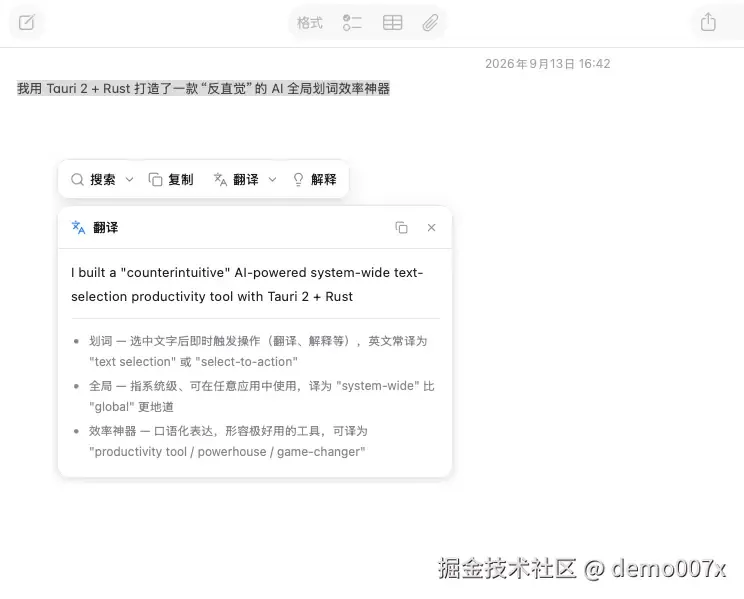
The open-source project Magpie (Shí Qù, “Glean”) has launched its M1 (MVP) version, openly available for macOS 13+ Apple Silicon users. Built on Tauri 2 + Rust + TypeScript, Magpie reads selected text via native system accessibility APIs, ensuring zero clipboard pollution, thus eliminating data loss when users switch between coding and reference tasks. It supports DeepSeek LLM with streamed responses, displaying AI replies word-by-word beside the mouse cursor upon clicking AI Summary or AI Translate.
- Open source: Yes (code available)
- Current version: M1 (MVP)
- Supported OS: macOS 13+ (Apple Silicon only)
- Clipboard behavior: Native accessibility API, zero pollution
- Response mode: SSE streaming
- Underlying framework: Tauri 2 + Rust
Core Value: Re-engineering Developer Workflows for Key Scenarios
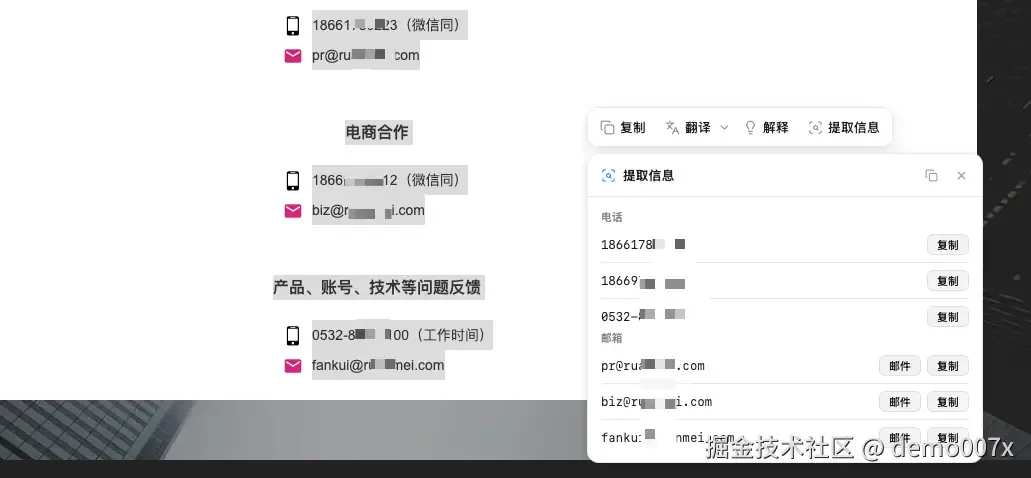
Magpie refines three pain points through integrated interaction. First, technical document reading—traditional translators often mistranslate due to脱离上下文, while Magpie leverages LLM comprehension to deliver context-aware translations. Second, source code reading—when users double-click a term and request AI explanation, the model outputs underlying logic, application scenarios, and even pseudo-code examples without leaving the editor. Third, log parsing—described as a “context entity sniffer,” it auto-identifies URLs, emails, or验证码 (verification codes), offering one-click access or extraction.
The Rust底层轻量管道 (SSE Pipe) forwards AI requests, bypassing CORS issues that plague WebView-based frontends. All Prompt actions register in TypeScript layer, enabling new AI functions (e.g., code refactoring, report polishing) via frontend object registration alone, requiring zero Rust code changes.
Technical Architecture: Decoupled Rust + TypeScript Stack
The project follows a clear layering pattern: Rust handles stable global selection capture and window management; TypeScript manages UI and Prompt iteration. This yields dual benefits—system event reliability and frontend extensibility.
Notably, Magpie includes a strict App blacklist: it auto-hides in sensitive contexts like Terminal or password managers, demonstrating deep user privacy awareness.
Implementation Guidance: Know Your Fit
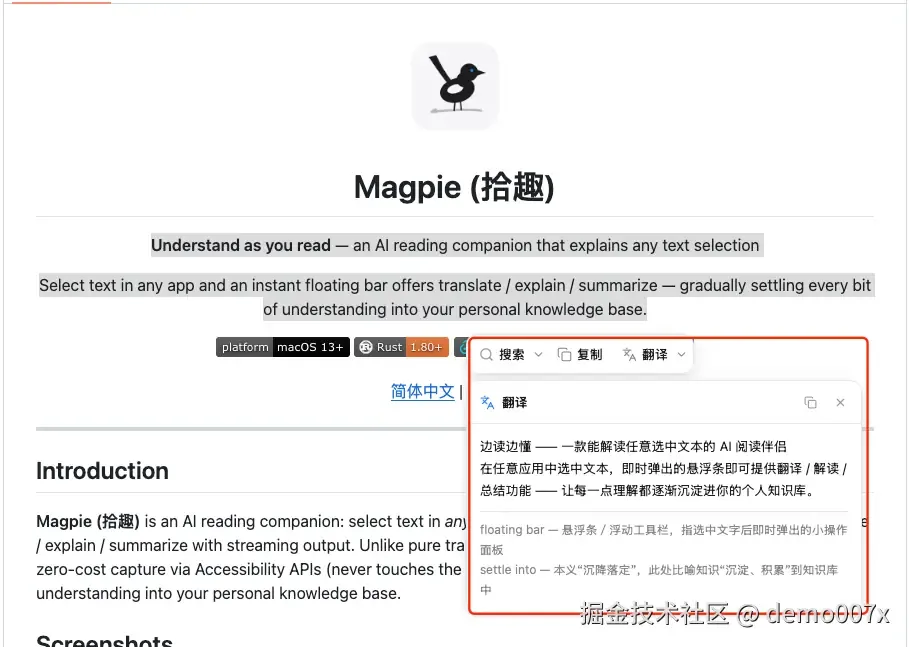
Magpie is ideal for developers frequently reading English technical docs or open-source code, especially those sensitive to clipboard pollution or requiring uninterrupted focus. It significantly reduces context loss when switching between IDE and ChatGPT.
Consider waiting if you need: Windows support (awaiting M2), multi-turn conversation (awaiting M2), or local knowledge base (awaiting M3). Current MVP exclusively supports macOS Apple Silicon and primarily relies on DeepSeek, limiting multi-LLM flexibility.
Final Thoughts
Magpie’s innovation lies in merging legacy global selection with LLM power using native permissions instead of clipboard—validating that lightweight system integration can deliver truly seamless AI assistance for developers.