
CoCo Gets Stronger, Pushing Cost Governance Upstream
Snowflake CoCo is advancing natural-language interaction into real workflow territory: users can have it generate and run SQL, execute multi-step tasks, and invoke large language models across each session turn. The core shift is that agent-style conversations no longer just “ask and answer”—they continuously consume tokens and burn credits. If an organization exposes the capability without establishing governance, costs can climb quickly alongside usage frequency, model choices, and workflow complexity.
Snowflake’s approach is straightforward: first see where costs come from, then optimize default behavior, and finally set hard boundaries for high-risk scenarios. Relevant capabilities can be managed via SQL, the Snowsight admin UI, or even directly within CoCo sessions.
See First: Historical Views and Natural-Language Billing Queries
The first step of cost governance is attribution. CoCo writes usage records from different entry points into ACCOUNT_USAGE views, covering three surfaces: CLI, Snowsight, and Desktop. Each record corresponds to a single request and includes TOKEN_CREDITS, total TOKENS, and a breakdown of input, output, and cache tokens by model; USER_ID, USER_TAGS, and METADATA enable allocation by user, department tag, or execution region. Historical data is retained for up to 365 days—enough for ad-hoc troubleshooting and long-term trend analysis.
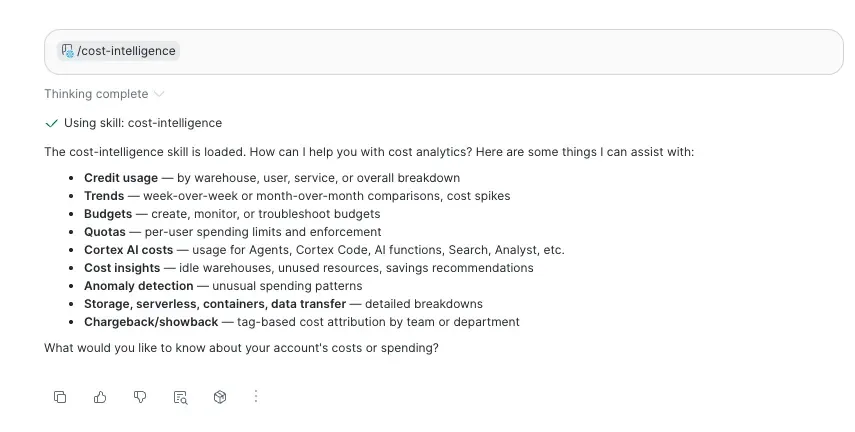
For teams that don’t want to hand-write SQL repeatedly, CoCo includes a built-in /cost-intelligence skill that lets you query that usage history in natural language. You can ask things like “which models were most expensive in the CLI this month” or “break down spend by department tag,” and it can also help you create quota and notification thresholds. The key insight here is bringing cost analysis back to the point of use, lowering the barrier to governance.
Key data points include:
- Measurement basis: token consumption is converted into credits;
- Attribution fields: user, tags, metadata, and model-level token breakdowns;
- Historical window: ACCOUNT_USAGE views retain up to 365 days of data.
Set Boundaries: Daily Limits and Cross-Domain Quotas
If the goal is to quickly prevent any single user from overusing a particular entry point, admins can set a per-surface daily estimated credit cap. CoCo CLI, CoCo Desktop, and CoCo within Snowsight each correspond to a separate account-level parameter, with per-user overrides available. A default value of -1 means no limit, 0 means completely disabled, and a positive number means access is blocked once the rolling 24-hour estimated spend exceeds the threshold—until usage drops back below it.
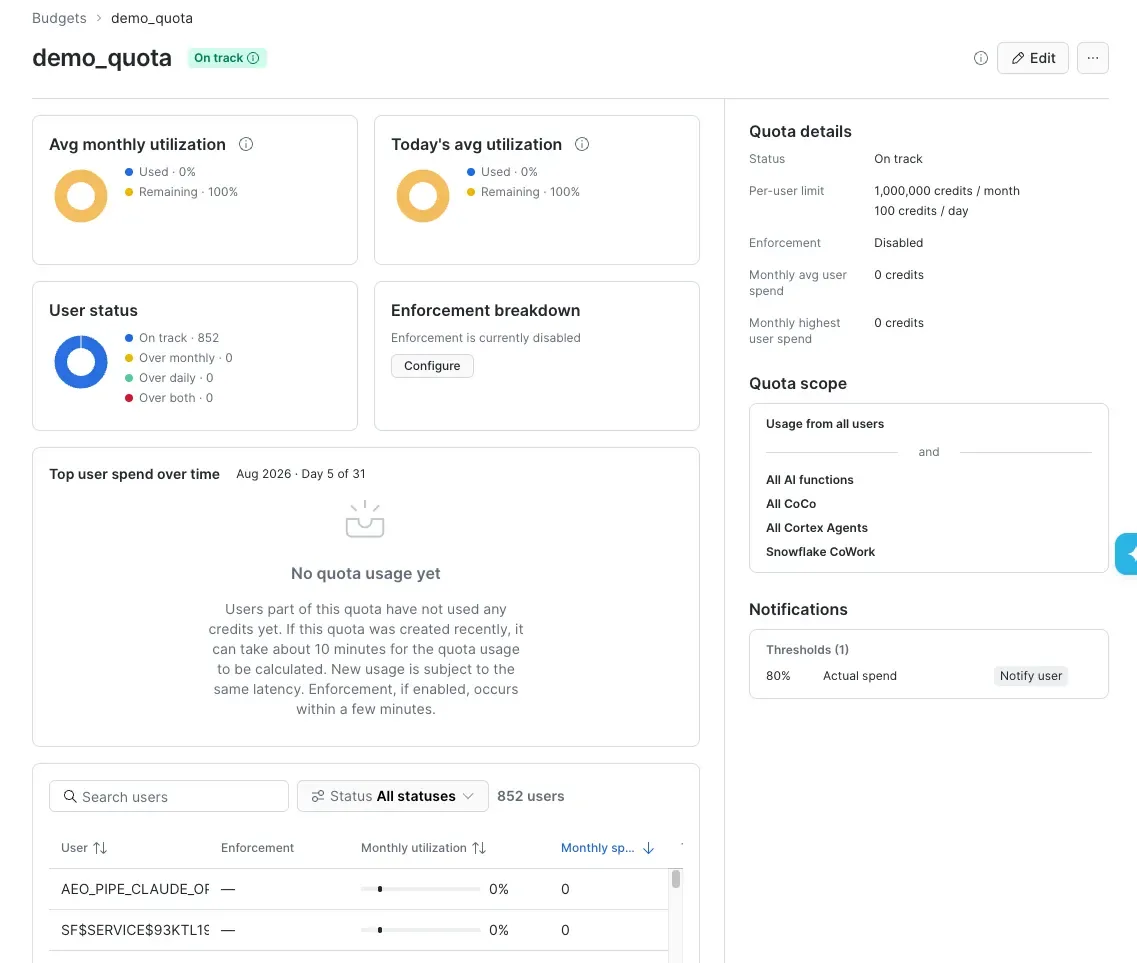
A more systematic approach is per-user quota. Currently in public preview, it lets you set a monthly limit and an optional daily limit per user, with block enforcement enabled. Unlike a budget that only sends alerts, a quota can automatically block new AI requests once the cap is reached. Coverage spans AI functions, Cortex Agents, Snowflake CoWork, and CoCo—but each quota tracks only one category at a time: either warehouse compute or AI domains, not both. Quota periods are calculated by UTC calendar day and calendar month, and blocks are automatically lifted when a new period begins.
To put it in plain terms: a quota is a usage allocation with hard enforcement, and AI domains refer to the resource scopes that Snowflake tracks and controls along AI-service dimensions.
Alerts and Model Governance: Don’t Hand Every Request to the Most Expensive Model

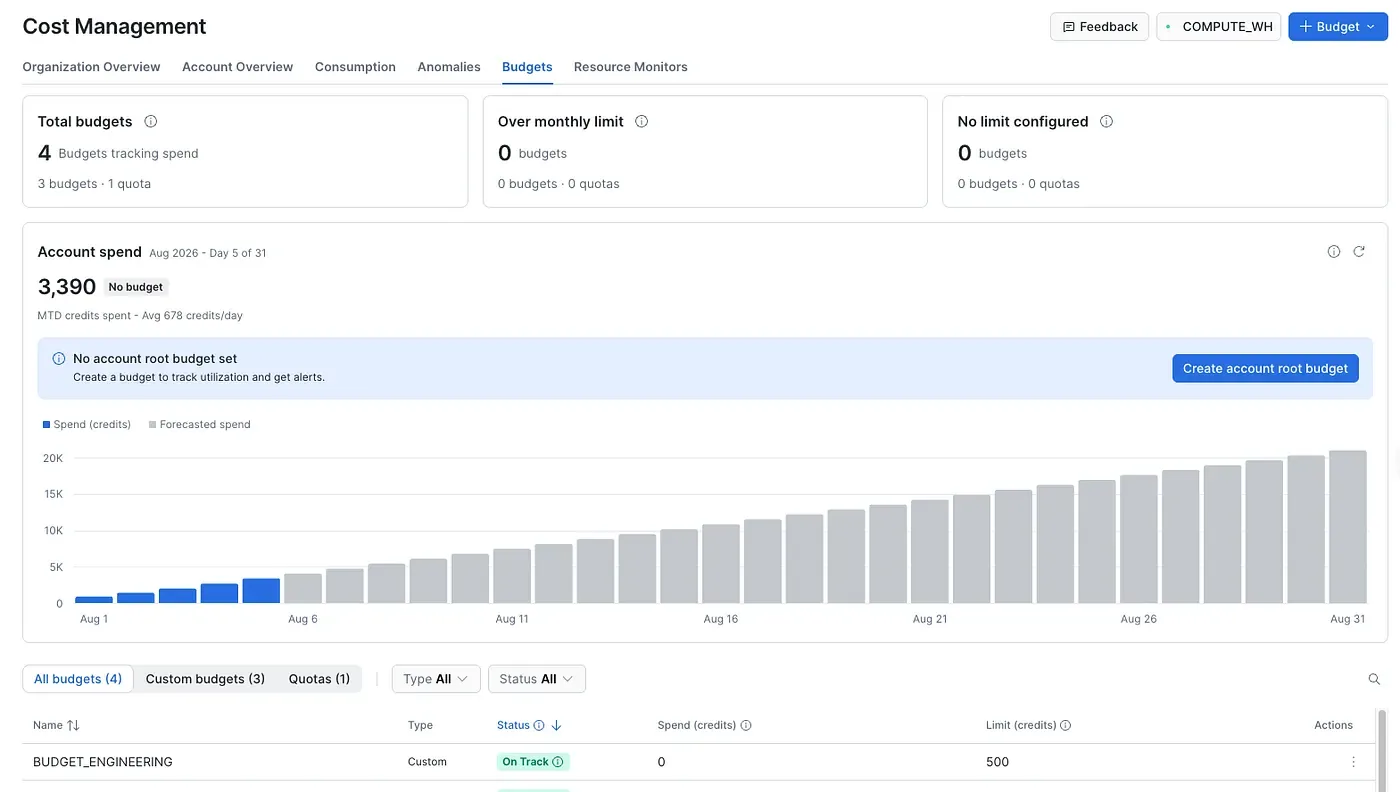
Budgets work more like an early-warning system: they compare actual credit spend in the current month against a set ceiling and project—based on time-series forecasting—whether you’re on track to overshoot. Account budgets apply across the entire account, while custom budgets can focus on object groups or tags to target specific teams or projects; for AI spend specifically, the AI_SERVICES service type covers Snowflake CoWork and Cortex Agent. Notifications can be routed to email, Amazon SNS, Azure Event Grid, Google Cloud Pub/Sub, or through webhooks into Slack, Microsoft Teams, or PagerDuty.
However, budgets refresh at a maximum interval of 6.5 hours by default—switching to hourly refresh yields lower-latency monitoring but amplifies the cost of maintaining the budget itself by 12×. So, budgets are for alerting; quotas are for hard enforcement.
Another high-leverage governance lever is model access control. Snowflake Cortex currently supports both role-based RBAC and account-level allowlists; if either permits a user, they can invoke the corresponding model. RBAC—which authorizes through model objects and application roles—offers finer granularity and is becoming the primary approach. The legacy CORTEX_MODELS_ALLOWLIST is being phased out: it can only be set to None starting August 2026, and will be fully removed by November 2026. Organizations building governance today should design around RBAC first.
Auto Guardrails and a Practical Rollout Order
For AI Functions, you can also stitch together auto guardrails using CORTEX_AI_FUNCTIONS_USAGE_HISTORY, Snowflake alerts, and tasks: account-level monthly spend alerts, per-user monthly spend limits, and runaway query detection with automatic cancellation. A runaway query is one that runs anomalously long and burns through resources rapidly. Note that canceling a query only prevents further cost accumulation—it cannot recover credits already consumed.
Taken together, Snowflake is assembling a governance stack for CoCo that strengthens progressively across three stages: see, shape, and cap. Usage history and /cost-intelligence provide visibility; model access control reshapes the default cost structure; and daily limits, quotas, budgets, and automated tasks handle constraint and alerting. The pragmatic path is to first establish a cost baseline, then narrow model permissions, and finally layer on limits and quotas as your team scales. As enterprise agents move from pilot to daily production, cost governance will shift from a back-office finance concern to a foundational capability of the AI platform.