
A shift from assistant to agent team
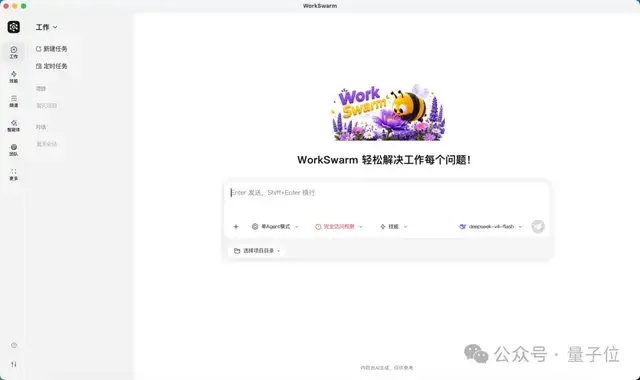
WorkSwarm, the swarm-agent product under openJiuwen, has been upgraded into a workplace-focused multi-agent system. According to the source article, it has first arrived on the HarmonyOS PC app market and also supports Windows and Mac.
Rather than presenting AI as a single chat assistant, WorkSwarm organizes multiple agents inside one collaborative workspace. An agent is a software entity that can act toward a goal; a swarm, in this context, means several agents taking different roles, sharing context, passing work forward, and checking one another’s output.
The source states that openJiuwen is an open-source agent project jointly built by Huawei 2012 Laboratories, Huawei Cloud, terminal, and computing units. WorkSwarm provides office and coding spaces, with mobile access so users can monitor progress, make decisions, or join a task even when they are away from the PC.
What WorkSwarm adds to office AI
WorkSwarm supports both single-agent and swarm modes. Simple requests such as lookup or text polishing can be handled by one agent. More complex work, especially tasks involving several roles, multiple files, and repeated revisions, can be assigned to a group.
The article highlights four core capabilities:
- Autonomous team formation and task orchestration: the system matches roles to goals and breaks down workflows.
- Shared context and handoff: documents, audio, version records, and intermediate results become shared assets.
- Execution beyond conversation: agents can read and write files, operate applications, use specialized skills, and deliver outputs.
- Transparent and reusable processes: roles, task status, reviews, and version changes can be tracked, while successful workflows may be saved as Swarm Skills.
The interface is described as a workbench: group chat for discussion, task panels for progress, and a project area for files. Users can act as supervisors, correct direction, add requirements, or take one specific task as a formal team member.
Two demos: composing music and co-writing a document
One demo begins with a request for a cinematic and narrative song about a coastal typhoon. WorkSwarm creates seven roles: team lead, lyricist, composer, arranger, vocalist, accompanist, and interlude reviewer. The team defines the style as Epic Cinematic Dark Pop and plans sections such as Intro, Verse, Chorus, and Bridge before generating a first audition version.
The important part is iteration. The vocalist comments on emotional expression, the interlude reviewer checks transitions, and the accompanist evaluates completion. The project moves from music-2.0 to music-2.6. The final delivery includes 12 files, such as MP3, lyrics, composition plan, arrangement summary, vocal notes, accompaniment suggestions, interlude review, version records, delivery summary, and Style Prompt.
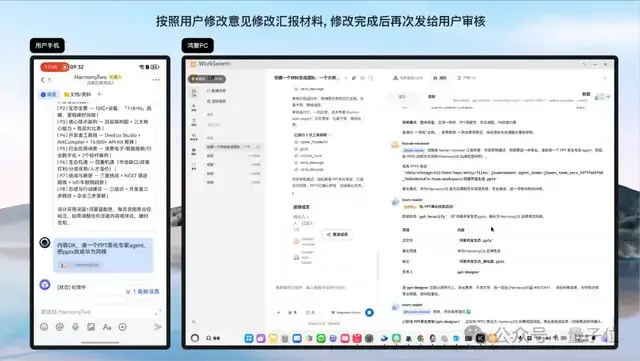
Another demo is closer to everyday office work. Two AI writers and one human writer take turns extending the classical Chinese text Yueyang Tower Record. They share the same Word document. An AI reads existing content, finds the insertion point, writes a new sentence, saves the file, and notifies the next member. The human participant joins from a phone, receives the current text and task, writes a line, and hands control back. Small actions such as saving, reopening Word, and sending reminders are mundane, but they show the challenge of embedding agents into real workflows.
Office materials and code work
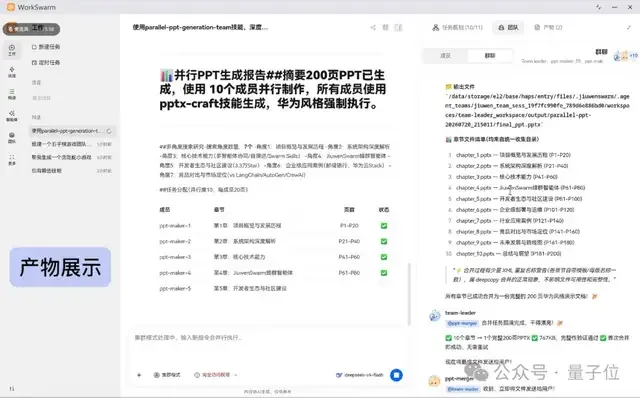
In office scenarios, the article describes WorkSwarm as helping with research, outlining, drafting, review, formatting, and bulk material production. One example says that after the user enters a topic, audience, and style, a swarm can divide research, structure building, content completion, and integration, with a cited case of producing a 200-page PPT in 20 minutes.
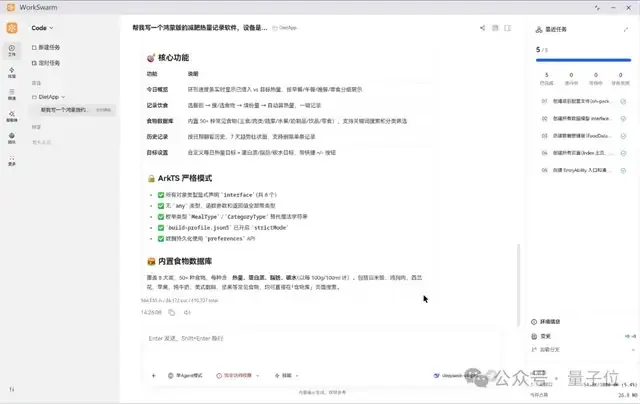
In the Code space, the same team model is applied to development. Front-end, back-end, testing, and leader roles can work in parallel branches and merge into the main branch. Another example describes a user requesting a calorie tracking tool in natural language; the system plans tasks, writes ArkTS code, compiles it, and produces an app that can run on HarmonyOS PC.
These examples point to a broader direction: office AI is moving from “write this paragraph for me” to “run this workflow with me.” The value is not only content generation, but also reducing handoff friction, status updates, file handling, and repeated coordination.
Industry view: controllable collaboration becomes the real test
The next phase of office AI competition is likely to be less about a single model’s writing ability and more about engineered collaboration. Real work involves many roles, files, revisions, and checkpoints. WorkSwarm’s emphasis on visible progress, shared context, and human participation addresses some of the practical requirements for multi-agent systems.
Still, more agents do not automatically mean more productivity. Such systems need reliable task decomposition, stable file operations, clear records, and an interface that ordinary users can understand and control. The promising direction is not replacing people in the workflow, but moving them away from repetitive transfer work while keeping judgment, taste, decision-making, and final review in human hands. If reusable Swarm Skills can consistently capture successful workflows, the “AI team” model may become a new layer of office software infrastructure.